HubSpot renamed Lists to Segments in 2025, and the choice between active segments (auto-updating) and static segments (frozen) decides whether your next marketing email reaches the right people. This guide maps both types, the filters available at each subscription tier, and the four segmentation mistakes that make workflows enroll the wrong contacts.
What are HubSpot Segments, and why did Lists get renamed?
HubSpot Segments are the rebranded version of HubSpot Lists: the same underlying engine, a new name, and a filter builder that plugs into Marketing Email, Workflows, ads audiences, and Datasets. Every HubSpot account has two types of segments: active segments and static segments, and that one choice decides whether next month's send reaches live matches or a stale snapshot from October.
The rename is not cosmetic in how people think. "List" made teams picture a CSV with a name on it. A Segment is a saved filter definition that can drive several tools at once and, if it is active, keeps re-evaluating itself against your records. Same objects, same contacts, but the mental model shifts from "a bag of contacts I built once" to "a live definition of an audience". Existing lists keep working in workflows, marketing email, and ads, so nothing you built before the rename breaks.
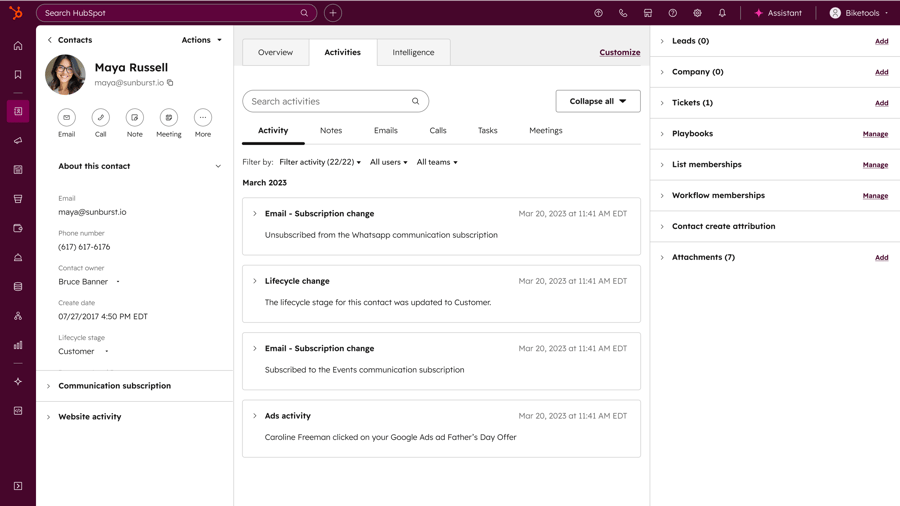
Active segment vs static segment: which one do you use when?
Use an active segment when membership should change over time (lifecycle stage updates, new form submissions, recent web visits) and a static segment when you need a frozen list (webinar attendees, a Q4 export for a sales blitz, a snapshot for a board report). Active segments automatically add records when they meet criteria and remove them when they stop; static segments do neither.
| Dimension | Active segment | Static segment |
|---|---|---|
| Membership updates | Auto-add and auto-remove as criteria change | Frozen at creation time |
| Best for | Nurture, lifecycle, re-engagement, ABM | One-off sends, snapshots, exports |
| Workflow enrollment | Continuous - new matches enroll automatically | One-time - only the original members |
| Main risk | Records leave silently when criteria stop matching | Goes stale fast - no new contacts ever added |
| Marketing email | Yes (contact segments only) | Yes (contact segments only) |
The trap I hit most on portal audits: teams default to active because "dynamic sounds smart". An active "Webinar attendees - March" segment drops attendees the moment the behavioural filter that defined them stops matching, and nobody notices until someone asks why the follow-up under-sent. Static holds historical truths that must never change. Active holds behavioural states that should.
What filters can you actually use in a HubSpot Segment?
A HubSpot Segment can filter on contact properties, properties of associated objects (companies, deals, tickets), page views, form submissions, email interactions, and workflow membership. On top of that, you can build web visitor segments that use cookie-tracked activity to target known visitors and accounts on Marketing Hub Professional or Enterprise, or Content Hub Professional or Enterprise.
Two filter capabilities change what you can build, so learn them first:
- Cross-object filters. Filter contacts by a company property, a deal property, or a ticket property inside one segment. Example: "contacts where Company Industry is Manufacturing AND Deal Stage is SQL". One segment, three object types.
- Dataset-backed segments. You can use a Dataset made of HubSpot objects and external data sources to create a segment, which is how we pull warehouse data (Snowflake, BigQuery) into segmentation logic without re-importing it into the CRM.
Who is each segment feature for by HubSpot subscription tier?
The segment engine ships with every HubSpot account, including Free, but three high-leverage capabilities are tier-gated. The table below is the map I show clients before they assume a feature is available.
| Capability | Required subscription |
|---|---|
| Active and static segments (core) | All HubSpot accounts, including Free |
| Web visitor segments (cookie-tracked behaviour) | Marketing Hub Professional or Enterprise, or Content Hub Professional or Enterprise |
| AI Segment Explorer (clusters and engagement tiers) | Marketing Hub Enterprise |
| Account-Based Marketing segment folders | Marketing Hub Professional and above, with ABM tools activated |
The practical read: on Marketing Hub Starter you get segments, but not web visitor targeting, not AI clusters, and not the auto-built ABM folders. Most targeting questions marketing leads bring us ("can we segment by which page they viewed?") need Professional or above. When ABM tools are on, HubSpot builds contact and company segments for you from ABM properties, and you can reuse them for ads audiences and marketing emails.
How do we use a HubSpot Segment to target an audience? A 5-step playbook
To target an audience with a HubSpot Segment, write the audience as one sentence, pick active or static, build the cross-object filters, feed the segment into a workflow, and exclude a reusable suppression segment. This is the exact sequence I run with clients when we set up a new audience, and it works the same for nurture, ABM, and re-engagement.
- Write the audience as one sentence first. "Marketing-qualified contacts at manufacturing companies in DACH who viewed the pricing page in the last 30 days." If you cannot write the sentence, the segment is not ready.
- Pick active or static. Behavioural state means active. Historical snapshot means static. Default to active for nurture.
- Build the cross-object filters. Contact filter for MQL stage, company filter for Industry, web visitor filter for the pricing page view. One segment, three object types.
- Point the segment at a workflow, not straight at a send list. A reusable audience definition belongs in a segment; the segment then feeds the workflow.
- Build a suppression segment once and reuse it everywhere. Unsubscribed, hard-bounced, opted-out, and sales-owned contacts go in one segment you exclude from every send.
The 4 segmentation mistakes that make Workflows enroll the wrong contacts
Across HubSpot portal audits, four segmentation mistakes come up again and again, and each produces the same symptom: a workflow fires for contacts it should not have, sales complains, marketing blames the workflow, and the segment is the real culprit.
1. A static segment wired into a workflow as the enrollment trigger
A static segment never adds new members. Enroll a workflow on "Contact is member of segment: Q1 Demo Requests" while that segment is static, and only the original members ever trigger. Every demo request created after the segment was built gets silently skipped, so your SDR follows up with 40 people while 120 sit untouched. Fix: use an active segment for ongoing enrollment, and reserve static for one-time sends.
2. A behavioural filter with no time bound
"Contact has filled out the demo form" with no time window keeps the contact in the segment forever. If your nurture workflow re-enrolls on segment membership, you will email people who converted 18 months ago and forgot who you are. Add "in the last X days" to every behavioural filter that drives enrollment.
3. A cross-object filter on data the contact does not really carry
"Contact's primary company is in Industry: Manufacturing" only works when the primary company association is set and the Industry property is filled. We regularly open portals where a large share of contacts have no primary company at all; those contacts silently fail the filter, so the marketer ships a segment that quietly under-delivers and never learns why. Check the source property's fill rate before you ship a segment. If the data model itself is the problem, that is a Data Hub cleanup conversation, not a segment one.
4. No suppression segment in the workflow
The segment finds the right people. The workflow then emails a contact who unsubscribed last week or sits in an active sales sequence, and now a rep is walking back a message they never wanted sent. Fix: build one "Do Not Email" suppression segment (unsubscribed, hard-bounced, opted-out by channel, sales-owned) and exclude it in every marketing workflow. This is the same surface where HubSpot records each subscription status change as an immutable audit trail on Marketing Hub Professional and Enterprise, so you can prove who opted out and when.
Segment vs View vs Workflow enrollment: when to use which?
Use a View for day-to-day record browsing, a Segment for any audience that drives marketing or automation, and a Workflow enrollment trigger for a one-off real-time trigger you will not reuse. Segments work with fewer objects than views but carry more filter options, including cross-object and behavioural filters that views do not have.
| Surface | Use it for | Do not use it for |
|---|---|---|
| View | Day-to-day record browsing, sales prospecting lists | Driving marketing sends or automation |
| Segment (active) | Marketing email recipients, ads audiences, workflow enrollment | One-off frozen lists |
| Segment (static) | Historical snapshots, one-time event lists | Ongoing nurture or any recurring send |
| Workflow enrollment trigger | Real-time triggers on property change, form submission, deal stage | An audience you need to reuse across several sends |
Rule of thumb: if the same audience definition will drive more than one workflow or email, make it a segment. If it is one trigger for one workflow, keep it in the workflow's enrollment criteria. The same reuse trade-off shows up when configuring HubSpot Service Hub SLA routing, where the ticket routing audience gets reused across SLAs and automated alerts.
What a HubSpot Segment is NOT
A HubSpot Segment is a live definition of who matches criteria, and teams routinely expect it to do three jobs it does not do:
- A segment is not a substitute for lead scoring. A segment tells you who matches criteria right now; a score tells you how strong the match is. Use both.
- A segment is not a permission system. Membership does not make sales own a contact or force marketing to exclude one. That logic lives in contact owner rules and subscription types.
- A static segment is not a backup. Delete a record from your CRM and it disappears from the static segment too. If you need an audit trail, export to a Dataset or a warehouse.